itfan123
SpringBoot整合MyBatis Plus实现增删改查:环境搭建、代码示例与常见问题
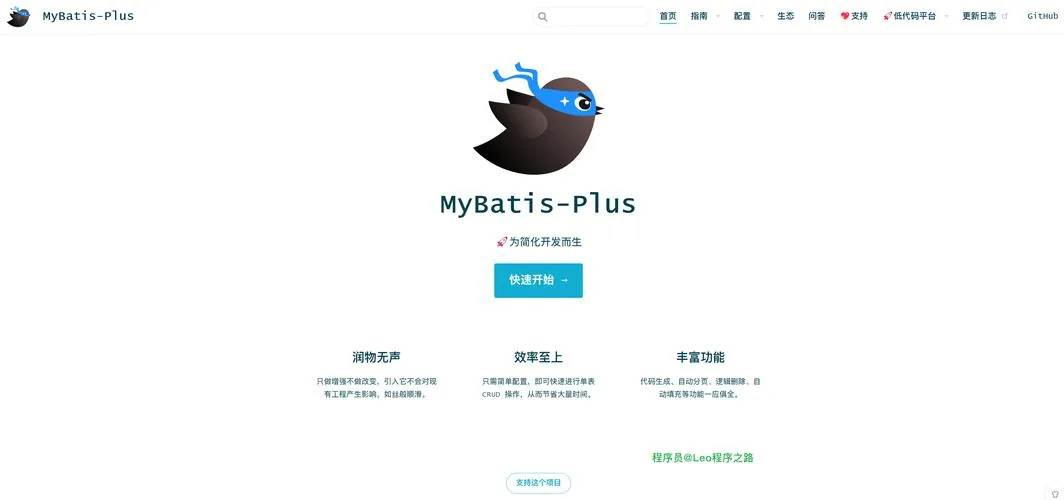
原创SpringBoot整合MyBatis Plus实现增删改查是Java后端最典型的入门实战场景。MyBatis Plus在MyBatis之上提供了BaseMapper通用CRUD接口,单表增删改查无需手写一条SQL。本文基于JDK 1.8、Maven 3.8、SpringBoot 2.7.18、MyBatis Plus 3.5.5与MySQL 8.0,完整演示从创建项目、依赖配置到RESTful接口测试的全过程,并给出5个高频报错的排查方法,适合有一定SpringBoot基础、想快速落地数据库操作的开发者。
一、环境准备与依赖配置
开始前请确认已安装:
- JDK 8 或更高版本(SpringBoot 2.7.x 推荐 JDK 8/11/17,SpringBoot 3.x 必须 JDK 17)
- Maven 3.6 及以上
- MySQL 5.7 或 8.0,已建好数据库(本文以 mydatabase 为例)
- IDEA 2019 及以上版本
用 Spring Initializr 在线生成器创建项目,勾选 Web 依赖,然后在 pom.xml 中加入 MyBatis Plus 与 MySQL 驱动:
<dependency>
  <groupId>com.baomidou</groupId>
  <artifactId>mybatis-plus-boot-starter</artifactId>
  <version>3.5.5</version>
</dependency>
<dependency>
  <groupId>com.mysql</groupId>
  <artifactId>mysql-connector-j</artifactId>
  <version>8.0.33</version>
</dependency>
注意:SpringBoot 2.x 使用 mybatis-plus-boot-starter;若升级到 SpringBoot 3.x,必须换成 mybatis-plus-spring-boot3-starter(3.5.4 起提供),否则启动会失败。
在 application.yml 中配置数据源:
spring:
  datasource:
    url: jdbc:mysql://localhost:3306/mydatabase?serverTimezone=Asia/Shanghai&useSSL=false
    username: root
    password: 123456
    driver-class-name: com.mysql.cj.jdbc.Driver
mybatis-plus:
  configuration:
    log-impl: org.apache.ibatis.logging.stdout.StdOutImpl
serverTimezone 参数不能省略,否则 JDK 8 连接 MySQL 8 时常报 The server time zone value '?' is unrecognized。
二、实体类与Mapper配置
假设 tb_user 表结构为:id(bigint,主键自增)、name(varchar(50))、age(int)、create_time(datetime)。实体类通过注解完成映射:
@TableName("tb_user")
public class User {
    @TableId(type = IdType.AUTO)
    private Long id;
    private String name;
    private Integer age;
    private LocalDateTime createTime;
    // getter/setter 略
}
Mapper 接口继承 BaseMapper<User> 后自动拥有 insert、deleteById、updateById、selectById、selectList 等通用方法,无需编写 XML:
@Mapper
public interface UserMapper extends BaseMapper<User> {
}
启动类上加上 @MapperScan("com.example.mapper"),或在每个接口上加 @Mapper,二者必须配置其一,否则启动会报 Invalid bound statement (not found)。
三、Service与Controller代码示例
Service 层注入 UserMapper,把单表操作封装成业务方法:
@Service
public class UserService {
    @Autowired
    private UserMapper userMapper;

    public List<User> listAll() {
        return userMapper.selectList(null);
    }

    public User getById(Long id) {
        return userMapper.selectById(id);
    }

    public int add(User user) {
        return userMapper.insert(user);
    }

    public int update(User user) {
        return userMapper.updateById(user);
    }

    public int delete(Long id) {
        return userMapper.deleteById(id);
    }
}
Controller 层用 @RestController 暴露 RESTful 接口:
@RestController
@RequestMapping("/users")
public class UserController {
    @Autowired
    private UserService userService;

    @GetMapping
    public List<User> list() {
        return userService.listAll();
    }

    @GetMapping("/{id}")
    public User detail(@PathVariable Long id) {
        return userService.getById(id);
    }

    @PostMapping
    public int add(@RequestBody User user) {
        return userService.add(user);
    }

    @PutMapping
    public int update(@RequestBody User user) {
        return userService.update(user);
    }

    @DeleteMapping("/{id}")
    public int delete(@PathVariable Long id) {
        return userService.delete(id);
    }
}
四、运行与接口测试
执行 mvn spring-boot:run 启动项目,控制台出现 Tomcat started on port(s): 8080 即配置成功。因为配置了 StdOutImpl,每条 SQL 都会打印到控制台。用 curl 验证各接口:
# 查询全部
curl http://localhost:8080/users
# 新增
curl -X POST http://localhost:8080/users -H "Content-Type: application/json" -d '{"name":"张三","age":20}'
# 更新
curl -X PUT http://localhost:8080/users -H "Content-Type: application/json" -d '{"id":1,"name":"李四","age":21}'
# 删除
curl -X DELETE http://localhost:8080/users/1
也可以直接在浏览器访问 http://localhost:8080/users,查看返回的 JSON 数据。
五、常见问题
Q1:启动报错 Invalid bound statement (not found)?
说明 MyBatis 没有扫描到 Mapper 接口。依次检查:启动类是否加了 @MapperScan;Mapper 所在包是否在扫描路径内;引入的是不是 mybatis-plus-boot-starter;接口是否继承了 BaseMapper。
Q2:insert 之后对象的主键 id 为 null?
多为 @TableId 策略不匹配。数据库主键自增时应写 @TableId(type = IdType.AUTO);若使用雪花算法则是 IdType.ASSIGN_ID,id 会回填到对象中,同时确认数据库列确实设置了 AUTO_INCREMENT。
Q3:查询报 Unknown column 或字段值总是为 null?
多为驼峰命名与下划线列名映射问题。MyBatis Plus 默认开启 map-underscore-to-camel-case,一般能自动转换;若属性加了 @TableField(exist = false),或字段名差异较大,需显式写 @TableField("create_time")。
Q4:升级到 SpringBoot 3 后启动失败?
Spring Boot 3 要求 JDK 17,starter 坐标也要更换:mybatis-plus-boot-starter 改为 mybatis-plus-spring-boot3-starter(3.5.4 及以上),驱动使用 com.mysql:mysql-connector-j,旧的 mysql:mysql-connector-java 坐标已停止维护。
Q5:连接时报 The server time zone value '?' is unrecognized?
在 JDBC URL 后追加 serverTimezone=Asia/Shanghai 参数即可,这是 JDK 8 搭配 MySQL 8 时最常见的时区报错。
六、注意事项
BaseMapper 只覆盖单表操作,复杂联表查询建议在 Mapper 中编写自定义方法或使用 @Select 注解;条件查询优先使用 LambdaQueryWrapper,避免手写 SQL 字符串拼接。本文示例在 Windows 11 + IDEA 环境验证通过,Linux 与 macOS 下步骤一致。下载方式见文末。
下载地址
以上资源由网络收集整理,版权归原作者及软件厂商所有,请在授权范围内使用;如涉及侵权请联系本站删除。
版权声明
所有资源都来源于爬虫采集,如有侵权请联系我们,我们将立即删除
-
超级AI大脑基于SpringCloud微服务架构部署教程:集成GPT-3.5、文心一言与AI绘图的多端智能应用(附网盘资源免费下載)

-
SpringCloud微服务治理入门:Eureka注册、Nacos配置、Gateway路由与环境准备(附网盘资源免费下載)
-
韩顺平Java工程师课程-SpringBoot.pdf:SpringBoot入门到实战教程(附网盘资源免费下載)
-
超级AI大脑基于SpringCloud微服务架构的智能应用:部署教程与常见报错解决(附网盘资源免费下載)
-
SpringBoot+Vue前后端分离项目实战第一季:笔记、源码与视频教程全解析(附网盘资源免费下載)
-
租房管理系统(JAVA+Vue+SpringBoot+MySQL)部署教程与功能介绍(附网盘资源免费下載)
-
电商项目源码:JDK17 + Spring Boot 3 + Spring Cloud Alibaba 微服务实战(附网盘资源免费下載)
-
狂神说Java Spring Boot课程静态资源:员工管理系统前端页面与配套说明(附网盘资源免费下載)
-
狂神说Java SpringBoot员工管理系统静态资源原版包含哪些文件与使用步骤(附网盘资源免费下載)
-
SpringBoot+Netty物联网实战:Java实现设备长连接与心跳检测(附完整源码)(附网盘资源免费下載)